Skip to content
A drayage truck hauling a blue shipping container waits at a port gate at dawn, cranes lit behind it.

Drayage operations for Charleston carriers

Know which box costs you money next.

Harborline runs the day for small drayage carriers: last free day and per diem clocks on every container, a dispatch board, a phone view for drivers, invoices, a customer portal, and a check that finds chassis days you were billed for but never used.

23 min
Average truck turn per gate mission at the Port of Charleston, plus about 9 minutes queued outside the gate. Source: SC Ports, productivity
3 clocks
Storage, per diem and chassis days, counted for every open container and sorted by which one bills first.
1 click
From a chassis bill line that does not match your gate receipts to a written dispute.

Small carriers lose money on dates nobody had time to check.

A last free day slips because it lived on a sticky note. A container sits a day too long and per diem starts. The chassis pool bills six days when your receipts show four, and nobody has time to check every line.

Big carriers buy software for this. A five-truck operation runs it on a whiteboard, a group text and a dispatcher who stays late. Harborline is built for that operation.

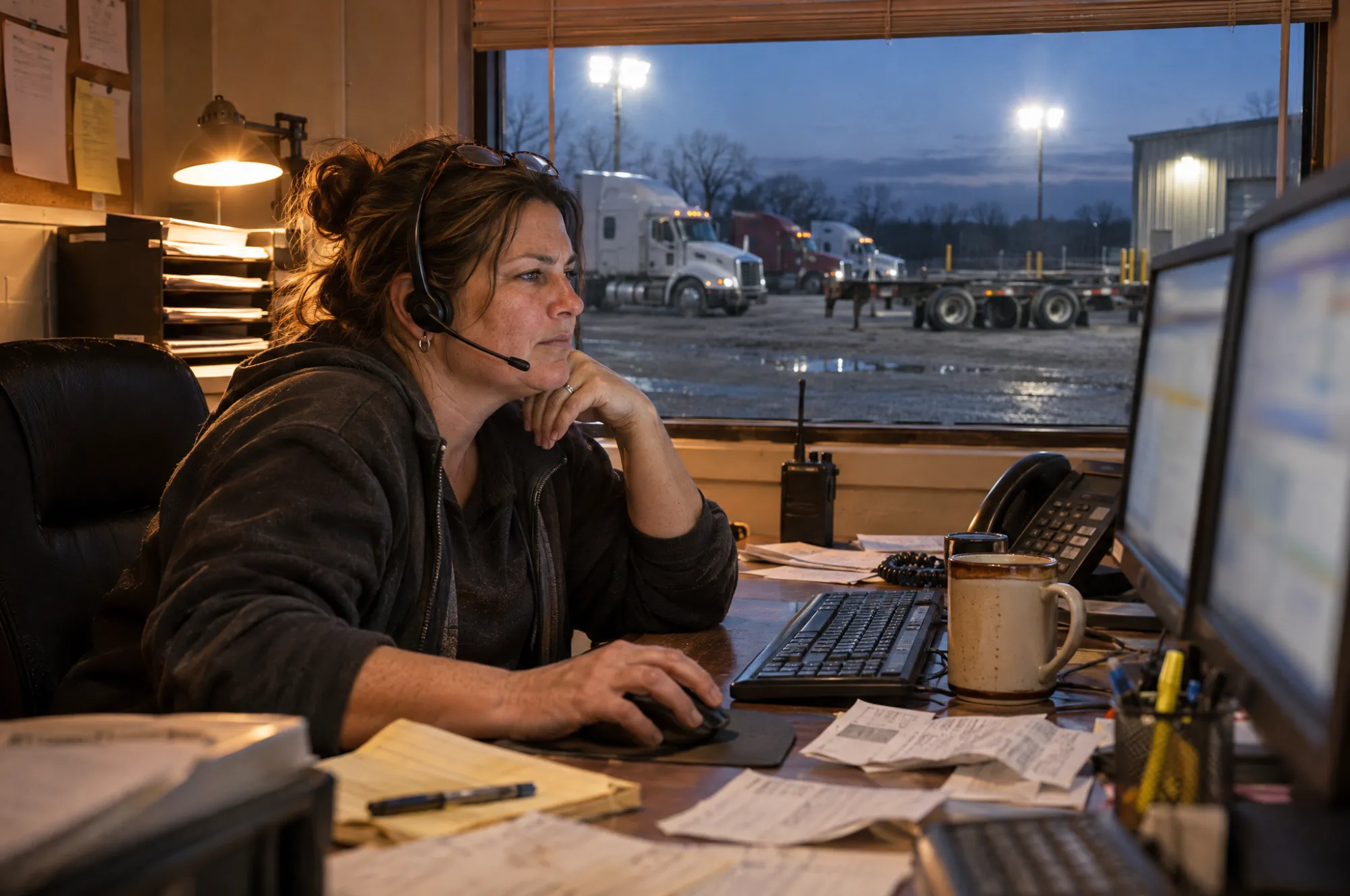
A dispatcher with a headset works at two monitors before sunrise, trucks parked under floodlights outside.

One board from booking to paid invoice.

Add containers as they come in. Harborline keeps the clocks, plans the moves and checks the bills.

Every open box, most urgent first

The Today board sorts every container by the clock that bills soonest: storage, per diem or an empty return. Colour and words both say how close it is, so nothing depends on reading a shade of red.
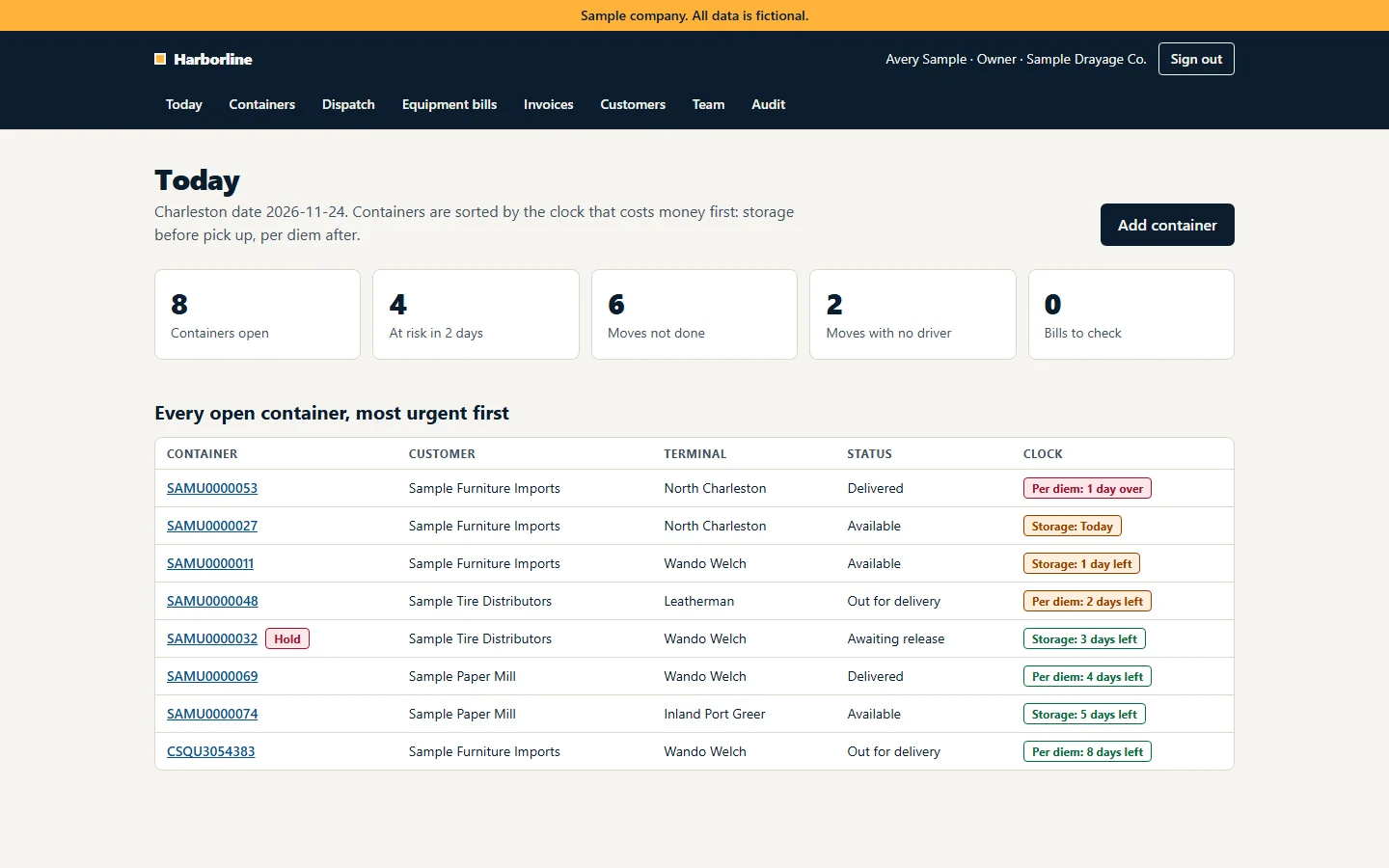

The Harborline Today board listing sample containers with storage and per diem countdowns.

Drivers move the job forward from a phone

Drivers see only their own moves: terminal, gate code, chassis and where it goes. One tap marks each step, and the office sees it at once.
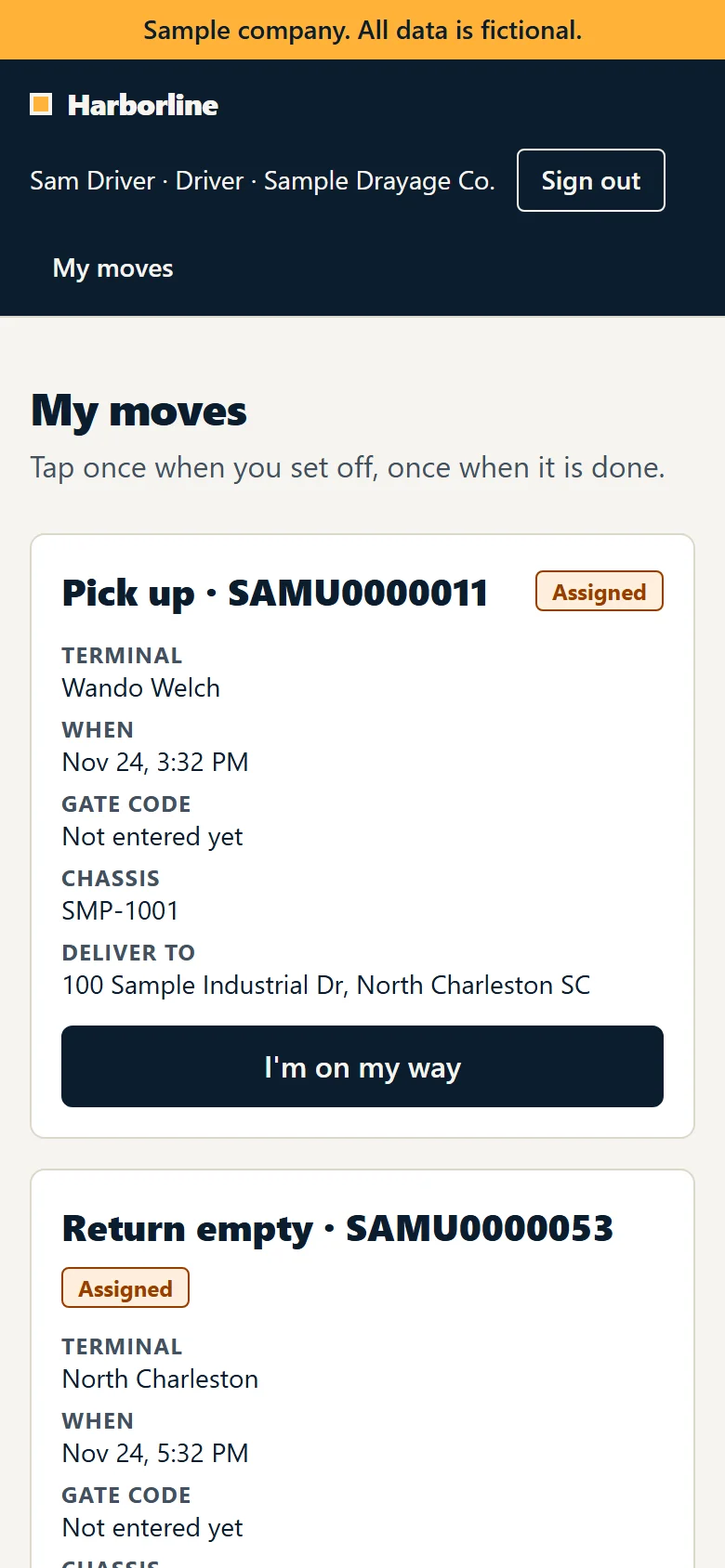
The Harborline driver view on a phone showing a pick up and an empty return.

Bills checked against your own receipts

Enter an equipment bill and Harborline compares every line with your out and in gate times. Days you did not use are marked, totalled and ready to dispute.
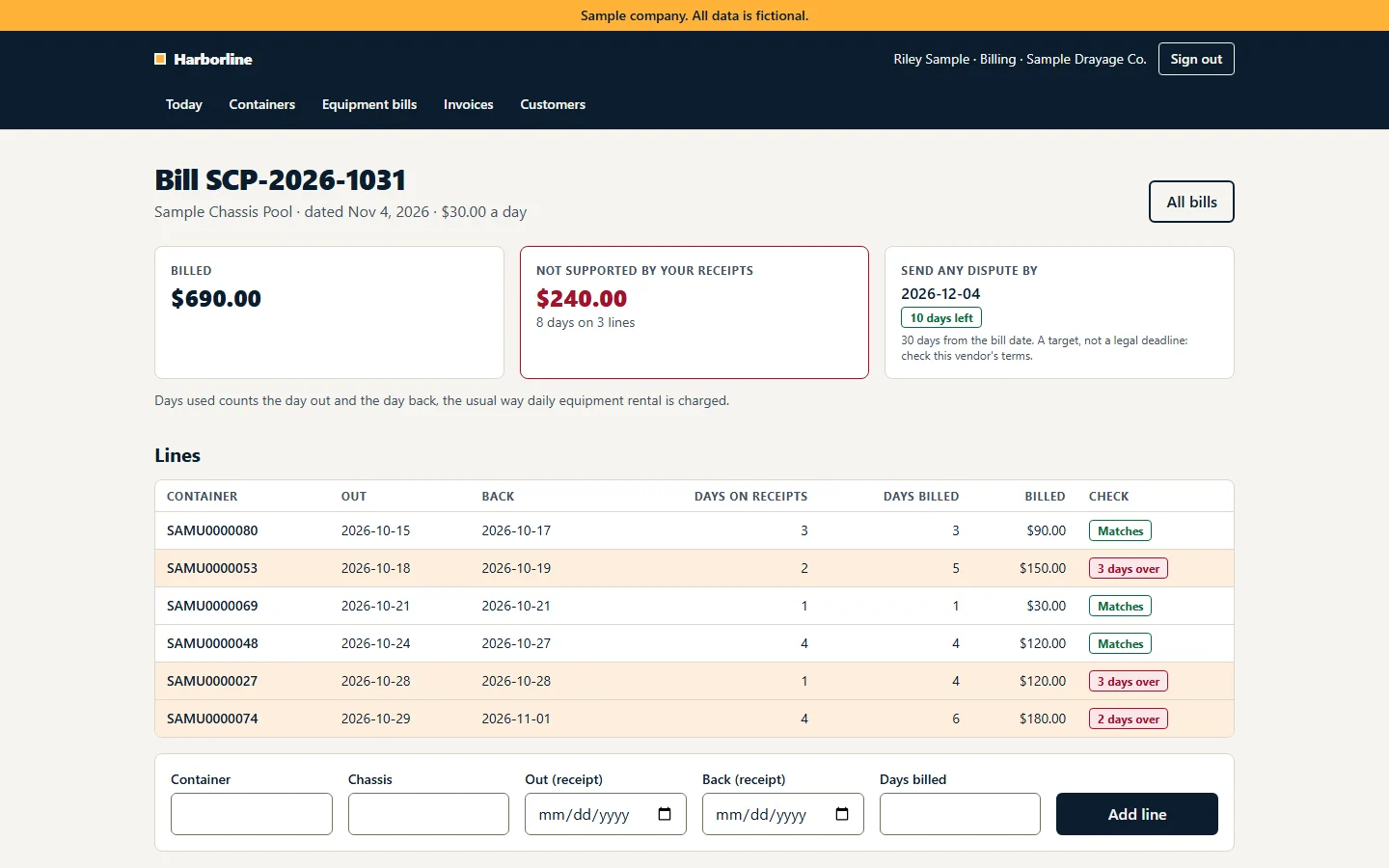
A sample chassis bill in Harborline with over-billed days highlighted and the amount to dispute.

Screens are the working product, shown with its fictional sample data.

What is in it

Container clocks
Last free day, per diem and empty return countdowns, worked out from the dates you enter, never guessed.
Dispatch board
Plan pick ups, deliveries and empty returns, assign drivers and chassis, and see the day at a glance.
Driver view
A phone page for each driver with their moves and nothing else. No app to install.
Equipment bill check
Line by line comparison of chassis and equipment bills with your gate receipts, with the dispute drafted.
Invoicing
Invoices built from completed moves and the charges that came with them, so nothing billable is forgotten.
Customer portal
Each customer signs in to see only their own containers and invoices, and stops calling for status.

Who uses it

Owners
Where the money is going: open clocks, billed but unpaid work, and disputes worth filing.
Dispatchers
One board for the day, drivers and chassis assigned, and moves that update themselves.
Drivers
Their moves, gate codes and destinations on a phone, and one tap to say done.
Billing
Invoices from finished work and equipment bills checked before they are paid.
Customers
Their own containers and invoices, any time, without a phone call.

What works today, and what does not yet

Working now

  • Containers, clocks, dispatch, driver view, invoices, customer portal and bill checks all work today.
  • Sign up creates your own company. A sample company with fictional data is open to explore.
  • Dates come from what you enter or import; Harborline does the counting.
  • Drivers can turn on arrival alerts: at the terminal or the customer, one tap records the arrival time for detention and per diem disputes.
  • Issued invoices export to CSV with QuickBooks Online's import columns.

Not built yet

  • Reading gate and availability data straight from the terminals. Today you enter it.
  • Text message alerts when a clock is about to bill.

Questions

Does Harborline connect to the port's systems?

Not yet. Today you enter or paste container dates and gate times, and Harborline does the counting and checking. Reading terminal data directly is the next step, and we will only do it within the terminals' terms of use.

Is it only for the Port of Charleston?

It was designed around Charleston carriers, but nothing in it is tied to one port. Terminals, customers and free days are your own settings.

Do drivers need to install an app?

No. The driver view is a web page that works on any phone. Drivers sign in once and see only their own moves.

Who can see our data?

Only people you invite, and each sees only what their role allows. Customers see only their own containers. Your data is never shared with another company.

What does it cost?

Pricing is being set with the first carriers. Setting up your company and trying it costs nothing.

See your own containers on the board.

Set up your company in a few minutes, or look around the sample company first.